Operations · Run module

From signed to paid.
In one record.

Once Convert has the signature: jobs and dispatch, purchase orders and stock, invoices followed until paid, priced from your own price book, plus the back office, hiring and the executive assistant. A person approves every step that commits money.

Northline Grocers · two walk-in coolers

  1. QuoteQ-2026-0142Approved4 lines, each with its rule · $2,022.70 CAD
  2. Signature2 signers, in orderSignedOne-time code each · fingerprint kept
  3. JobJ-0419 · installScheduled WedDrafted from the signed quote · parts reserved
  4. InvoiceINV-2026-0318ApprovedFrom the finished job · pay link on your Stripe
  5. PaymentCardPaidOn your own Stripe account

Every step is in the same record, on the ledger.

Operations · Run · your team

Your team: five seats, one job.

The same five seats run every module, so every report reads the same way. You approve what goes out.

  1. 01 · Lead

    Project coordinator

    Schedules the jobs and keeps the projects on track

  2. 02 · Analyst

    Operations analyst

    Measures on time and on budget

  3. 03 · Makers

    Dispatcher, estimator, update texter

    Propose the schedule, price estimates and draft updates

  4. 04 · Reviewer

    Quality check

    Checks close-outs and changes before they reach you

  5. 05 · Operator

    Scheduler

    Books and confirms what dispatch approved

Across every module

  • Chief of staff (Hue) Reads every Lead’s plan, settles conflicts between modules and writes the one-page 7 AM brief
  • Head of analytics One attribution truth, to the paid invoice, that every Analyst reads
  • Compliance officer Consent, anti-spam rules, claims and voice policy; can veto any Reviewer’s pass

What you get each month

Loops that close, counted every month.

One module includes its team and 500 tasks a month, pooled across everything you buy. A task is one finished item; heavier items count for more.

  • Jobs and projects

    Counted
    jobs run
    Judged on
    jobs on time
  • Customer updates

    Counted
    updates drafted
    Judged on
    fewer “where are you?” calls

Beyond the pool, packs of extra tasks under a monthly cap you set. We never promise a result: these are the measures we report against.

The problem

“The job’s done.
The invoice isn’t.”

Quotes from memory.

Prices typed from an old sheet, stock checked by phone, terms guessed for each customer.

Paper between every step.

The signed quote becomes a job by email, and the job becomes an invoice by hand, days later.

Nobody chases.

A late invoice waits until someone has an awkward afternoon free.

How the Run module works

  1. 01Agent

    Quote

    Lines priced from your price book, each citing its rule (contract, tier, volume), with stock per warehouse and a ship date. An owner approves.

    Quote from your price book

  2. 02Customer

    Sign

    Sent for e-signature: signers in order, a one-time code, a trail and a certificate. A signed quote drafts the job and any deposit invoice.

    Signed online

  3. 03Agent

    Do the work

    Jobs on a dispatch board and the day’s map, parts reserved from stock, purchase orders drafted from reorder points for an owner to approve.

    Job + parts ordered

  4. 04Agent

    Get paid

    An invoice from the finished job, a pay link on your own Stripe, reminders drafted for day 3, 10 and 20 after the due date, each one approved.

    Paid · traced

What you see

01

Every line cites its rule.

Pick a customer from the CRM and add lines. Each price shows the rule that set it, stock says when it ships, and the customer’s payment health suggests terms. An owner approves; the quote gets a number and a printable link.

Q-2026-0142 · Northline Grocers

Tier B · branch Toronto

LineRuleAmount
Evaporator fan motor × 2Contract price$372.00
Condenser coil cleaning × 2Tier B$480.00
Door gasket, walk-in × 4Volume break, 4 and up$248.00
Installation, 6 hoursTier B labour$690.00
Total with HST$2,022.70 CAD
Stock
Toronto: all lines on hand · ships Wednesday
Payment health
Watch: 41 days to pay on average · Net 15 suggested

Approved · printable link ready

A quote from the price book, before and after the owner’s approval. Sample data: ACME Field Services, a sample company with invented data.

02

A signature sets the work in motion.

Each signer gets their own link and a one-time code, in order. The document’s fingerprint is kept at every step. When the last person signs, the job and any deposit invoice are drafted for a person to confirm.

Q-2026-0142 · for signature

  1. 1Priya ShahSigned Nov 12, 10:04
  2. 2Tom ReedSigned Nov 12, 14:31

SHA-256 · 3f9a 0c7e … 8b21 c21e

Drafted when the last person signed

  • JobInstall, unscheduled, from the quote
  • Deposit invoice50%, per the quote’s terms · $1,011.35 CAD

Both wait for a person to confirm.

A signed quote, its trail, and what it drafted. Sample data: ACME Field Services, a sample company with invented data.

03

Followed until paid.

Card payments go through your own Stripe account, so no card number reaches us. Late invoices get a reminder drafted on day 3, 10 and 20, in your voice. Each waits for your approval, and a paid invoice never gets one.

InvoiceCustomerWhere it is
INV-2026-0318Northline GrocersPaid by card
INV-2026-0301Lakeshore Foods3 days late · a light nudge drafted, waiting for you
INV-2026-0287Bayview Market10 days late · a direct ask drafted, waiting for you
INV-2026-0279Eastgate FoodsPaid by e-transfer, recorded by Louis
Open and paid invoices, with the reminders waiting in Approvals. Sample data: ACME Field Services, a sample company with invented data.

Also in Operate

Purchasing

RFQs to your suppliers, bids levelled on landed cost and lead time, purchase orders drafted from your reorder points or the bid you pick; an owner approves; you send them from your own mailbox. Supplier bills are matched three ways: order, receipt, bill.

Customer portal

Your customers sign in with an email code and see only their own quotes, documents to sign, jobs, invoices and requests.

Job texts

On the way, arrived, done and the pay link, by text from your own number, only to customers who agreed to texts.

Estimating & Projects

Estimates and takeoffs from your price book, labour rates and past jobs, each line citing its rule; change orders signed online; a project board tied to jobs and invoices, with the project coordinator below.

Back office

Collections, bills matched to orders and receipts, a month-end checklist your accounting partner signs off, and a 13-week cash forecast.

Project coordinator · Run module

The project coordinator’s week, drafted.
Your team approves.

For contractors and trades with jobs on site: the daily logs, RFIs, submittals, change orders, the 3-week lookahead, the follow-ups, the owner’s weekly update, the minutes and the punch list. Hue drafts each one from what the site, the schedule and your price book say; a person approves it before it counts or goes anywhere.

HumonixACME Field ServicesSample data
Projects: the project coordinator. Each project’s RFIs, submittals and cost against budget; a daily log sorted from the foreman’s text; RFIs with who holds the ball; the next three weeks with conflicts. Approve a log or draft a reminder. Sample data · ACME Field Services, an invented company.

What it drafts

  1. 01

    Daily logs

    From the foreman’s text or call, photos and notes: weather, crew, work done, issues and delays. Safety notes go to your superintendent.

  2. 02

    RFIs

    Numbered, due in working days from when they go out, with who holds the ball and a reminder when one runs late.

  3. 03

    Submittals

    A log that works back the submit-by date from the date it is needed on site, the lead time and the review time.

  4. 04

    Change orders

    A scope change priced from your price book, each line citing its rule, with the margin shown against your floor.

  5. 05

    3-week lookahead

    The next three weeks with conflicts flagged: a submittal not approved, an open RFI, a crew booked twice.

  6. 06

    Follow-ups

    Emails and texts to subcontractors and suppliers, drafted for your yes, sent from your own mailbox or phone.

  7. 07

    Weekly owner update

    Plain-language progress, the week’s photos, what is next and the decisions waiting on the owner.

  8. 08

    Meeting minutes

    From a transcript or notes: decisions and action items, with who and by when, into tasks.

  9. 09

    Punch list and close-out

    Items by location and trade, and the close-out package checklist with links to your documents.

How it stays yours

  • Nothing goes out without a person’s yes: an approved email leaves from your own mailbox once sending is on for your company, and a text is sent by you, from your phone.
  • Your crew texts or calls your line from a phone you registered; it becomes a draft log on the project it names. Nothing is texted back.
  • Hours saved are shown as an estimate, from standard minutes per job, on your Value and Team views.

Where the data comes from

Spreadsheets and exports from Procore or Buildertrend import today. Read-only Procore and Buildertrend connections, and reading folders in Google Drive or OneDrive, are early access.

Safety & compliance · Run module

The safety coordinator’s paperwork, drafted.
A qualified person approves.

For manufacturers, contractors and the trades: SOPs, toolbox talks, job hazard analyses, incident and near-miss reports, injury logs, audit binders and the certificates that expire. Hue drafts each one from what your people say and what is on file; a qualified person on your team reviews and approves it before anyone uses it.

HumonixACME Field ServicesSample data
Safety & compliance: the document library with versions and owners, a draft SOP from a foreman’s voice note, this week’s toolbox talk in English and French, a near miss with its 5 whys and corrective actions, and the certificates that expire. Approve or draft a reminder. Sample data · ACME Field Services, an invented company.

What it drafts

  1. 01

    SOPs and work instructions

    From a voice note or bullet points: purpose, PPE, hazards, numbered steps with their cautions, checks and records, under version control.

  2. 02

    Weekly toolbox talks

    Ten minutes for your crew’s trade and the season, in English and French, with questions for the crew and a sign-in line.

  3. 03

    Job hazard analyses

    A task split into steps, the hazards each step suggests and the controls in the order of the hierarchy, with a starting risk rating.

  4. 04

    Incident and near-miss reports

    From a text or a voice note: what happened, the 5 whys as prompts, and corrective actions that become tasks once approved.

  5. 05

    Injury log helpers

    OSHA 300 and 300A rows for US sites, the provincial board’s report list for Canadian ones (the CNESST in Québec). A person checks and files them.

  6. 06

    Audit prep

    A checklist by clause for an ISO 9001, 45001 or 14001 audit or a customer audit, with what is on file, stale or missing, and the evidence binder.

  7. 07

    Questionnaire answers

    A customer’s or supplier’s prequalification questions answered from your own records; what nothing on file answers is left for a person.

  8. 08

    Expiry reminders

    Certificates, licences, permits, insurance and training watched: reminders at 90, 60, 30 and 7 days, and on the day one lapses.

  9. 09

    Document control

    Every document with its owner, version, approver and next review date; every approved version kept.

How it stays yours

  • Every document is a draft for a qualified person to review. It says so, with the jurisdiction it was written for, and Humonix never tells anyone you meet a regulation or a standard.
  • Injury details stay in a restricted part of the report that only the people who review reports can read, and they never reach an AI model unless you switch that on.
  • Nothing is sent or filed from Humonix: an approved document is ready to print or share, and a person files every log.
  • Hours saved are shown as an estimate, from standard minutes per document, on your Value and Team views.

Where the data comes from

What your people say or type, the records you add or import from a spreadsheet (certificates, licences, training), and the incident reports your team approves.

Purchasing agent · Run module

The buyer’s week, drafted.
You approve every order.

For distributors, manufacturers and trades that buy parts every week: requests for quote to your suppliers, the bids side by side on landed cost and lead time, the purchase order from the bid you pick, acknowledgements and late lines chased, reorder and price alerts. Hue drafts each one from your stock, your suppliers and your own price history; a person approves it before anything is ordered or sent.

HumonixNorthfield Industrial SupplySample data
Purchasing: the buyer desk. Requests to buy and reorder alerts; one RFQ’s bids levelled on landed cost and lead time against the need-by date (switch the date and the pick follows); orders by state with the late line; the supplier record. Draft the RFQ, the PO or an expedite note. Sample data · Northfield Industrial Supply, an invented distributor.

What it drafts

  1. 01

    RFQs to 2 to 5 suppliers

    From a request to buy or a reorder alert: the parts and quantities, the need-by date, and one email per supplier, picked from who priced the part before and delivers on time.

  2. 02

    Quotes read

    Replies and PDF quotes read into one table: unit prices, lead times, freight, terms, minimums, validity, no-bids. What it cannot read waits for a person.

  3. 03

    Bids levelled

    Landed cost per bid (freight spread by value, currency converted), lead time against the need-by date and the supplier’s on-time record, with a recommendation and the reason in plain words.

  4. 04

    The purchase order

    Drafted from the bid you pick, at its prices and dates, delivered to your location. It stays a draft until an owner approves it.

  5. 05

    Acknowledgements and expediting

    Orders nobody confirmed are chased; lines past the promised date get an expedite note listing what is still to come.

  6. 06

    Reorder alerts

    From your stock, or an inventory export: min/max, or usage times lead time plus safety stock, rounded to the supplier’s minimum.

  7. 07

    Price-change alerts

    A new price 5% or more off what you last paid for the part is flagged, with where both prices came from.

  8. 08

    Substitute parts

    An alternate a supplier offers, or one you have on hand, is flagged for the person who approves specs. It never goes on an order by itself.

How it stays yours

  • No order is placed and no money moves from Humonix: every purchase order is approved by an owner, and you send it.
  • Emails to suppliers are drafts until a person approves them, and leave only from your own mailbox once sending is on for your company.
  • Your supplier prices, quotes and terms are your own data: shown to your company only, never pooled across clients or used as a benchmark.
  • Hours saved are shown as an estimate, from standard minutes per job, on your Value and Team views.

Where the data comes from

A spreadsheet of your vendors and inventory imports today, with no connector, including exports from QuickBooks, NetSuite, Acumatica, Epicor, SAP Business One and Fishbowl. QuickBooks Online reads items, vendors and purchase orders, read-only. Live NetSuite, Acumatica, Epicor, SAP Business One and Xero connections are coming.

Operations · Run · what’s inside

Ten features, one module.

7 live, 3 in early access, 0 coming. Open a card for what it does and what it connects to.

  • LiveJobs and dispatch

    Work orders, a dispatch board and map, the technician’s phone view and a proposed schedule.

    Connects to Jobber

  • LiveProjects board

    Stages, a timeline of phases and change orders; a phase makes a job, and a finished phase drafts the progress bill.

    Runs inside Humonix, nothing to connect.

  • LiveProject coordinator agent

    Daily logs from site texts and calls, RFIs, submittals, change orders, a 3-week lookahead, follow-ups, the owner’s weekly update and minutes, drafted for a person’s yes.

    Runs inside Humonix, nothing to connect.

  • LiveEstimating

    Items, assemblies and labour rates priced into estimates, each line citing its rule, with a margin check.

    Runs inside Humonix, nothing to connect.

  • Early accessJob update texts

    On the way, arrived, done: from your own number, only to customers who agreed, with templates an owner approved.

    Connects to Twilio (your number)

  • Early accessAppointment confirmations

    Confirm or reschedule by voice or text, for contacts who opted in; dispatch confirms every change.

    Connects to Twilio (your number)

  • LiveInventory and purchasing

    Stock moves, reservations, purchase orders and receipts.

    Runs inside Humonix, nothing to connect.

  • LiveB2B orders

    Every order in one list with its status, approval, PO number, credit check and fulfilment notes, from placed to delivered.

    Runs inside Humonix, nothing to connect.

  • LiveQuick order and reorder

    A pad for SKUs and quantities, a reorder from any past order, and saved carts that become a quote request.

    Runs inside Humonix, nothing to connect.

  • Early accessShipping and 3PL

    Parcel rates, labels and tracking (EasyPost) and LTL freight quotes (Freightcom), each label approved by a person before it is bought; ShipStation and ShipBob next.

    Connects to ShipStationEasyPostShipBobFreightcom

Live: works today. Early access: built, switched on for you after a setup step or a provider’s review. Coming: planned, never sold as working. Anything that goes out waits for your approval.

Operations · Run · in the app

Open it the way a client does.

The Humonix app with sample data, opened on this page’s pane. Switch modules in the sidebar, open a draft, approve or decline it: everything works here and nothing is sent or saved.

HumonixACME Field ServicesSample data
Home: the week in numbers and what waits for you. Click a module in the sidebar, under its department, to open its view. Sample data · ACME Field Services, an invented company.

Price

The Run module, with Estimating & Projects as its part, is part of Operations in Business in a box (with Supply): one module, its department or all of the box, at the same prices, run by agents with a person on your side approving each step that commits money. Set up with your price book and catalogue.

Operations · Run moduleEarly access

One module: Run, month to month

$350 a month

All six departments, run by agents that feed each other: Head of Digital (agents), $3,000 a month, month to month.

With a person on call: Head of Digital, $6,000 a month, + $2,500 setup, once, waived with a 12-month commitment. 3-month minimum, then month to month.

  • Quotes from your price book, with stock and terms
  • E-signature with a trail and a certificate
  • Jobs and dispatch, with the technician’s phone view
  • Purchasing and stock
  • Invoices, pay links and reminders
  • The customer portal

Early access: card payments, invoice emails and job texts switch on per company once your Stripe, mailbox and texting account are connected.

QuickBooks connects read-only once our Intuit app is approved; a CSV export works today.

Ask about the Run module

Tell us what you sell and how you invoice today. We write back with a time to talk, and a price after the call.

Rather talk first? Book a 30-minute call.

We use these details to answer your request and keep a record of it, and we look up public business information about your company. Some of our service providers are outside Québec, including in the United States. You can access, correct or ask us to delete your information at any time. Details are in our privacy policy.

On the phone: appointment confirmations and reschedules by voice or text, for contacts who opted in; dispatch confirms every change.

Questions

Does it replace QuickBooks?

No. When QuickBooks is connected it keeps your invoices, and an invoice made here is marked for a person to enter there. Without QuickBooks, Humonix is the system of record.

Does anything go out on its own?

No. An owner approves every quote, purchase order and invoice. Reminders and job emails are drafts a person approves, and you send purchase orders from your own mailbox.

How do our customers pay?

By card, on a Stripe-hosted page of your own Stripe account, so no card number reaches Humonix. Cheques, e-transfers and wires are recorded by a person.

What does a signature record?

Each signer in order, with their one-time code, typed name and mark, the time, and the fingerprint (SHA-256) of the exact document they signed, with the full trail and a certificate.

Can our customers see their own records?

Yes, in the customer portal. They sign in with an email code and see only their own quotes, documents to sign, jobs, invoices and requests. You choose what shows.

How is it priced?

With your catalogue size and the departments it joins. We quote it after a 20-minute call.

See it on your own price book.

A 20-minute call: your catalogue, your customers and how work moves today. Then a price.

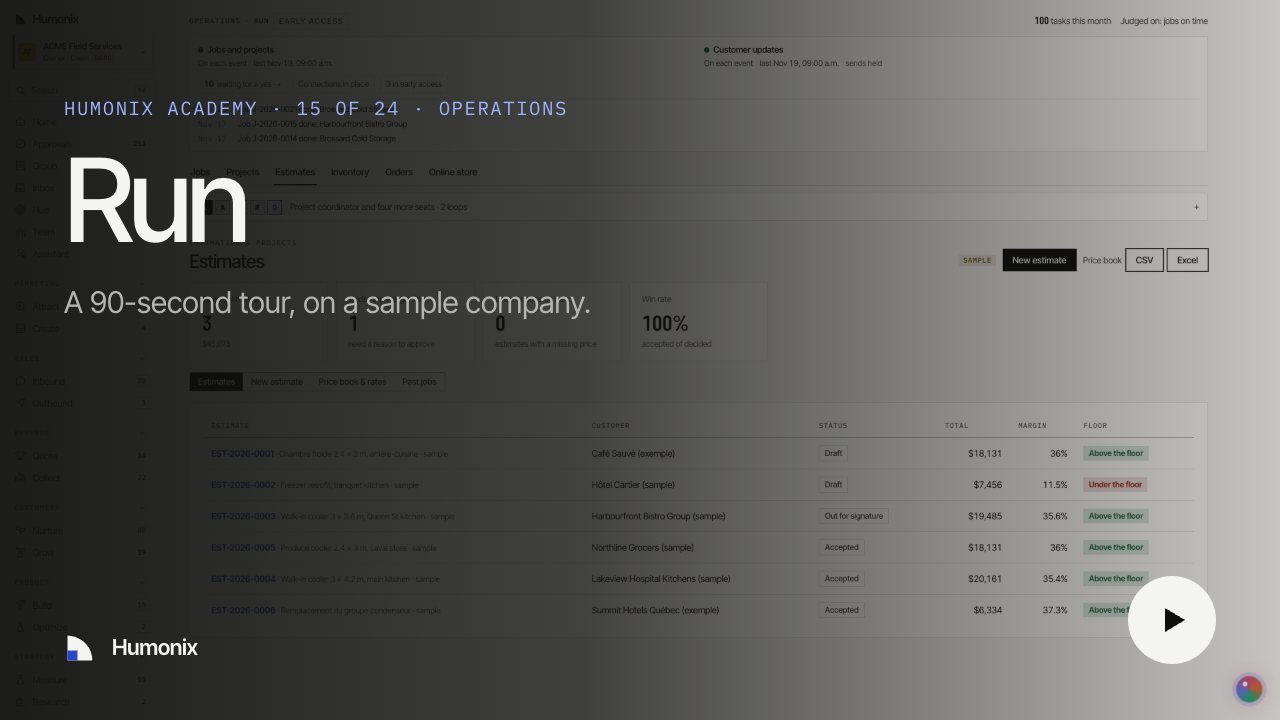
Humonix Academy

Watch it in 90 seconds

A short video on a sample company, with captions and a transcript: the job, what runs on its own and what waits for your yes.