Customers · Grow module

Your customers hear from you.
At the right moment.

Renewals, check-ups, review requests after a job and win-back. Each flow reads as a sentence you approve, goes only to customers with recorded consent, and stops the moment they reply.

Flow · Plan renewalApproved by Marc

60, 30 and 7 days before a plan renews, remind the customer. Then call.

Northline Grocers · maintenance plan, two walk-in coolers · renews Jan 15

  1. 60 daysEmailSent
  2. 30 daysEmailStopped
  3. 7 daysCallStopped

Reply · Nov 18Question

“Yes, keep it going. Can you add the freezer?”

The flow stopped for Northline Grocers. The reply is in your Inbox.

The problem

“They were happy.
Then they went elsewhere.”

The renewal date is in a binder.

Plans lapse because nobody wrote down when they end, or nobody had time to call.

Reviews get asked for when someone remembers.

The best jobs go unmentioned, and the review sites hear from whoever was annoyed.

Quiet customers stay quiet.

A year without a visit, and nobody noticed until they hired someone else.

How Keep works

  1. 01Agent

    Know

    What each customer bought and when, their plan’s renewal date, their language and their consent, from your invoices, jobs or a spreadsheet.

    Customer history

  2. 02Agent

    Plan

    Flows written as sentences: “7 days after a repair, when there is no plan, offer one.” Four are drafted for you to start.

    A flow, in a sentence

  3. 03You

    Approve

    You approve each flow once; change its words and it waits for your yes again. Quiet hours, and at most one message a week per customer.

    Your yes

  4. 04Agent

    Send, then listen

    From your own mailbox, or by text where the customer agreed. A reply stops the flow for that customer, and a person sees it.

    A reply stops it

Expand: what each customer buys and what they could, with the next renewal; open spots become steps you approve. Sample data · ACME Field Services, an invented company.

What you see

01

Four flows to start. Each one reads as a sentence.

After a visit, before a renewal, after a repair without a plan, and a year after the last job. Add a seasonal check-up when the season turns. Nothing runs before you approve it.

FlowThe ruleStatus
After a visitEmail1 day after a visit: thank them, and ask for a review.Approved
Plan renewalEmail · email · call60, 30 and 7 days before a plan renews: remind, then call.Approved
After a repairEmail7 days after a repair, when there is no plan: offer one.Waiting for your yes
Win-backEmail12 months without work: a short note, and they are booked first.Draft
The flows of a sample company, with the status of each. Sample data: ACME Field Services, a sample company with invented data.

02

A review request after every job.

When a job is signed off or an invoice is paid, Hue drafts one request in the customer’s language, with your own review links. A person approves each one, and everyone asked gets the same links: no rating filter, no incentive.

Review request · drafted

Priya Shah · Northline Grocers

Job J-0419 signed off yesterday

Hi Priya, Thank you for having us at Northline Grocers yesterday. If the visit went well, a short review helps other businesses find us. If anything is not right, reply to this email and we will make it right.

  1. Not asked in the last 90 days
  2. No open complaint or escalation
  3. Same links for everyone, no rating filter

Approved · goes from your mailbox

A review request after a signed-off job, before and after a person approves it. Sample data: ACME Field Services, a sample company with invented data.

03

A reply always wins.

Replies are read from your mailbox. Whatever the customer writes, the flow stops for them and a person sees it. An opt-out means never again, on every flow.

What came backWhat Keep does
“Yes, renew it. Can you add the freezer?”The flow stops for that customer; the reply goes to your Inbox
“Please stop emailing me.”Never contact again, on every flow
The email bouncedPending emails to that customer are skipped
STOP, by textThe number is opted out and its text consent cleared
Replies and what each one does to the flows. Sample data: ACME Field Services, a sample company with invented data.

Also in Keep

Newsletter

A monthly or twice-monthly issue Hue drafts from your own news. You edit and approve it; it goes from your own sending account and domain, to customers who agreed.

Results

Renewals, plans started, reorders and reviews, each flow measured against its own baseline, in your client space.

Rules

Quiet hours, the weekly cap, the offers Hue may use, and your languages: English and French.

The account manager copilot

Every account, known.
Every renewal, prepared.
You approve, you call.

The account manager’s desk work, drafted from your own records: who needs attention this week and why, a brief before each meeting, the quarterly review, the renewal at 90, 60 and 30 days, the upsell with its price from your price book, and the notes after a call. People approve every draft and keep the relationship.

HumonixACME Field ServicesSample data
The account manager copilot: every account with a health score explained factor by factor, the renewal at its 30-day window with a quote from the price book, last quarter’s review from the records, a check-in that waits for a yes. Mark the overdue invoice paid and watch the score move. Sample data · ACME Field Services, an invented company.

What it does

  1. 01

    The book, with a reason for every score

    Each account’s health from usage, payments, replies and reviews, last contact and NPS. A factor with no record is left out, never guessed.

  2. 02

    Who needs you this week

    A Monday list of the accounts at risk, renewing soon or overdue, with the next step for each.

  3. 03

    A brief before each meeting

    The score explained, the renewal, risks, recent activity, what to propose, an agenda and the questions to ask.

  4. 04

    Quarterly reviews from the records

    Work delivered, billed and paid on time, wins, issues and next quarter’s plan, as a deck and PowerPoint you approve.

  5. 05

    Renewals at 90, 60 and 30 days

    What to do in each window, and a renewal quote from your price book that waits for you.

  6. 06

    Upsells with a reason and a real price

    What similar customers buy that this one doesn’t, the signals behind it (hires, new locations, new tools), the price from your price book.

  7. 07

    Save plays

    For an account at risk, the steps from its weakest factor first: the balance, the complaint, the drop in work. Approved steps become tasks.

  8. 08

    Check-ins and meeting notes

    Check-in emails in the customer’s language; after a meeting, the notes on the customer’s record and each action item as a task.

The rules

  • Every draft waits for a person. Check-ins leave only from your own mailbox, once sending is switched on, never to someone on your do-not-email list.
  • No invented numbers: every metric comes from your records, and an empty record says so.
  • Prices come from your price book. With no price-book line, there is no price until you add one.
  • A person may call any account; an AI check-in call only with the customer’s consent to customer-care calls.

Where it reads

Your customers, work and plans; invoices and payments (made here, a QuickBooks or Xero export, or QuickBooks read); replies, reviews and NPS answers you record; hiring and new-tool signals from public company data. Accepted renewal and upsell quotes show in Value.

Customers · Grow · what’s inside

Fourteen features, one module.

9 live, 4 in early access, 1 coming. Open a card for what it does and what it connects to.

  • LiveLifecycle flows

    Service reminders, renewals, seasonal and after-visit flows drafted per customer from what they bought; each flow approved once.

    Runs inside Humonix, nothing to connect.

  • Early accessLifecycle emails

    Approved flows sent from your own mailbox, inside quiet hours and a weekly cap.

    Connects to GmailOutlook

  • LiveResults against baseline

    Each flow measured every week against its own starting point.

    Runs inside Humonix, nothing to connect.

  • LiveBook of business

    Every account with a health score explained factor by factor, its renewal, risks and expansion signals, and a Monday list of the accounts needing attention.

    Connects to QuickBooksSpreadsheet import

  • LiveAccount health and retention

    Renewal risk from missed visits, falling usage or an open complaint, with net and gross retention.

    Connects to QuickBooksSpreadsheet import

  • LiveRenewal prep at 90, 60 and 30 days

    Every renewal due, with the preparation for its window and a renewal quote drafted from your price book that waits for you.

    Runs inside Humonix, nothing to connect.

  • LiveUpsell signals

    Gaps valued from what similar customers buy and your price book, plus hires, new locations and tools a customer added.

    Runs inside Humonix, nothing to connect.

  • LiveMeeting briefs and notes

    A one-page brief before a customer meeting; afterwards the notes go on the customer’s record and each action item becomes a task.

    Runs inside Humonix, nothing to connect.

  • LiveBusiness reviews (QBR)

    Last quarter from your records (work delivered, billed, paid on time, health), wins, issues and next quarter’s plan, as a review deck and PowerPoint you approve.

    Runs inside Humonix, nothing to connect.

  • LiveSave plays

    For an account at risk, the steps from its weakest factor first; approved steps become tasks for your team.

    Runs inside Humonix, nothing to connect.

  • Early accessAccount check-ins

    Check-in emails from what the customer bought and when they renew, each approved, sent from your own mailbox.

    Connects to GmailOutlook

  • Early accessReview requests

    Asked after a signed-off job or a paid invoice, at most every 90 days, never after a complaint.

    Connects to GmailOutlook

  • Early accessReferrals and win-back

    Asks drafted inside the consent rules; they wait as drafts until their send path opens.

    Runs inside Humonix, nothing to connect.

  • ComingLifecycle texts

    Flow steps by text, for customers who agreed to texts.

    Connects to Twilio (your number)

Live: works today. Early access: built, switched on for you after a setup step or a provider’s review. Coming: planned, never sold as working. Anything that goes out waits for your approval.

Customers · Grow · in the app

Open it the way a client does.

The Humonix app with sample data, opened on this page’s pane. Switch modules in the sidebar, open a draft, approve or decline it: everything works here and nothing is sent or saved.

HumonixACME Field ServicesSample data
Home: the week in numbers and what waits for you. Click a module in the sidebar, under its department, to open its view. Sample data · ACME Field Services, an invented company.

In the loop

Keep closes the loop.

After Deliver, the Grow module brings customers back and grows them: the renewal, the next order, the review, the referral. And a review helps the next buyer find you, which is where the loop starts again.

Before Nurture

After Build

08 / 08Grow
  1. 01AttractMarketing
  2. 02CreateMarketing
  3. 03InboundSales
  4. 04OutboundSales
  5. 05QuoteRevenue
  6. 06CollectRevenue
  7. 07NurtureCustomers
  8. 08GrowCustomers
  9. 09BuildProduct
  10. 10OptimizeProduct
  11. 11MeasureStrategy
  12. 12ResearchStrategy
See the whole loop

Price

The Grow module is the Customers department: renewals, upsell, QBR rooms, reviews, referrals and win-back. One module on its own, run by agents with you approving every flow, all six departments in Head of Digital (agents), run by agents, or in Head of Digital with a person on call. Set up with your customers, then run every week.

Customers · Grow moduleEarly access

One module: Grow, month to month

$350 a month

All six departments, run by agents that feed each other: Head of Digital (agents), $3,000 a month, month to month.

With a person on call: Head of Digital, $6,000 a month, + $2,500 setup, once, waived with a 12-month commitment. 3-month minimum, then month to month.

  • Four starter flows, written for your customers
  • Renewals, check-ups, plan offers and win-back
  • Review requests after a job or a paid invoice
  • The newsletter, drafted from your own news
  • Results against each flow’s own baseline

Early access: email from your own mailbox switches on after the mailbox approval, per company; the newsletter goes through your own verified sending domain.

Texts in the US need carrier registration first; Canadian numbers can text now. Every customer needs recorded consent.

Start with Keep

Tell us what your customers buy and how often. We write back with the next step and a time to talk.

Rather talk first? Book a 30-minute call.

We use these details to answer your request and keep a record of it, and we look up public business information about your company. Some of our service providers are outside Québec, including in the United States. You can access, correct or ask us to delete your information at any time. Details are in our privacy policy.

On the phone: opted-in review requests after a completed job and renewal reminders; a person handles any change to price or plan.

Questions

Which customers get messages?

Only customers with recorded consent, only for flows you approved, never in quiet hours, and by default at most one message a week each.

Can we write the messages ourselves?

Yes. Hue drafts, you edit, and your wording wins. Change the words of an approved flow and it waits for your yes again.

Do review requests go only to happy customers?

No. Everyone asked gets the same links, with no rating filter and no incentive. A request is held while a customer has an open complaint, so a person looks first.

Can it text our customers?

Where the customer agreed to texts. Canadian numbers can text now; US texts need carrier registration first. Replying STOP opts a number out.

Does it work without a CRM?

Yes: the simple CRM in your client space, filled from your invoices or a spreadsheet.

Where is our data?

Hosted in North America, close to you: Toronto by default, with your own US instance on request. Your customer records never train a model.

Start with one flow.

Renewals, or the review request after a visit. We set it up with your customers, and nothing is sent before you approve it.

Humonix Academy

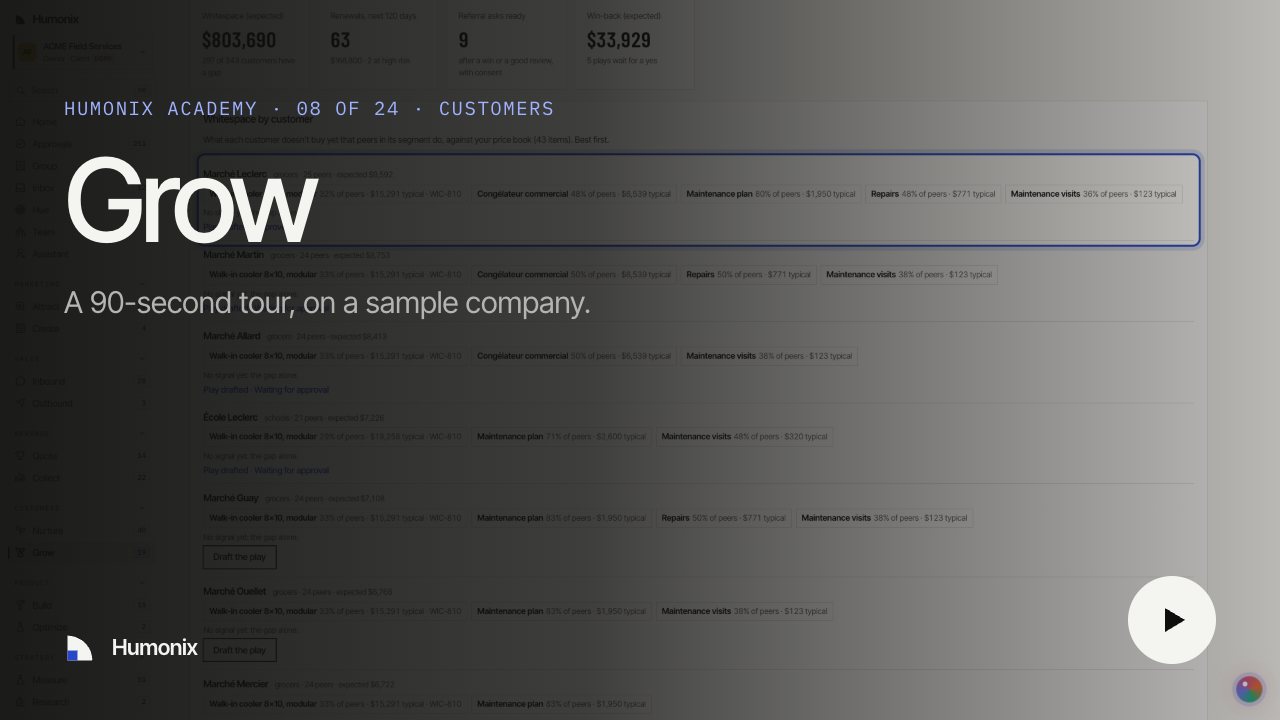
Watch it in 90 seconds

A short video on a sample company, with captions and a transcript: the job, what runs on its own and what waits for your yes.